Friendly Reminder: The FBB Warehouse integration platform is designed to make things easier for sellers, and the system integration is provided free of charge. While enjoying the convenience, please remember to check your store daily for any orders that failed to push through, any orders with shipping issues, or any discrepancies in the products or quantities of orders to be shipped.
If there are canceled orders in your store, sellers must notify FBB Warehouse before 9:00 PM (Beijing Time). Otherwise, the warehouse will proceed with the outbound process based on the original shipping instructions.

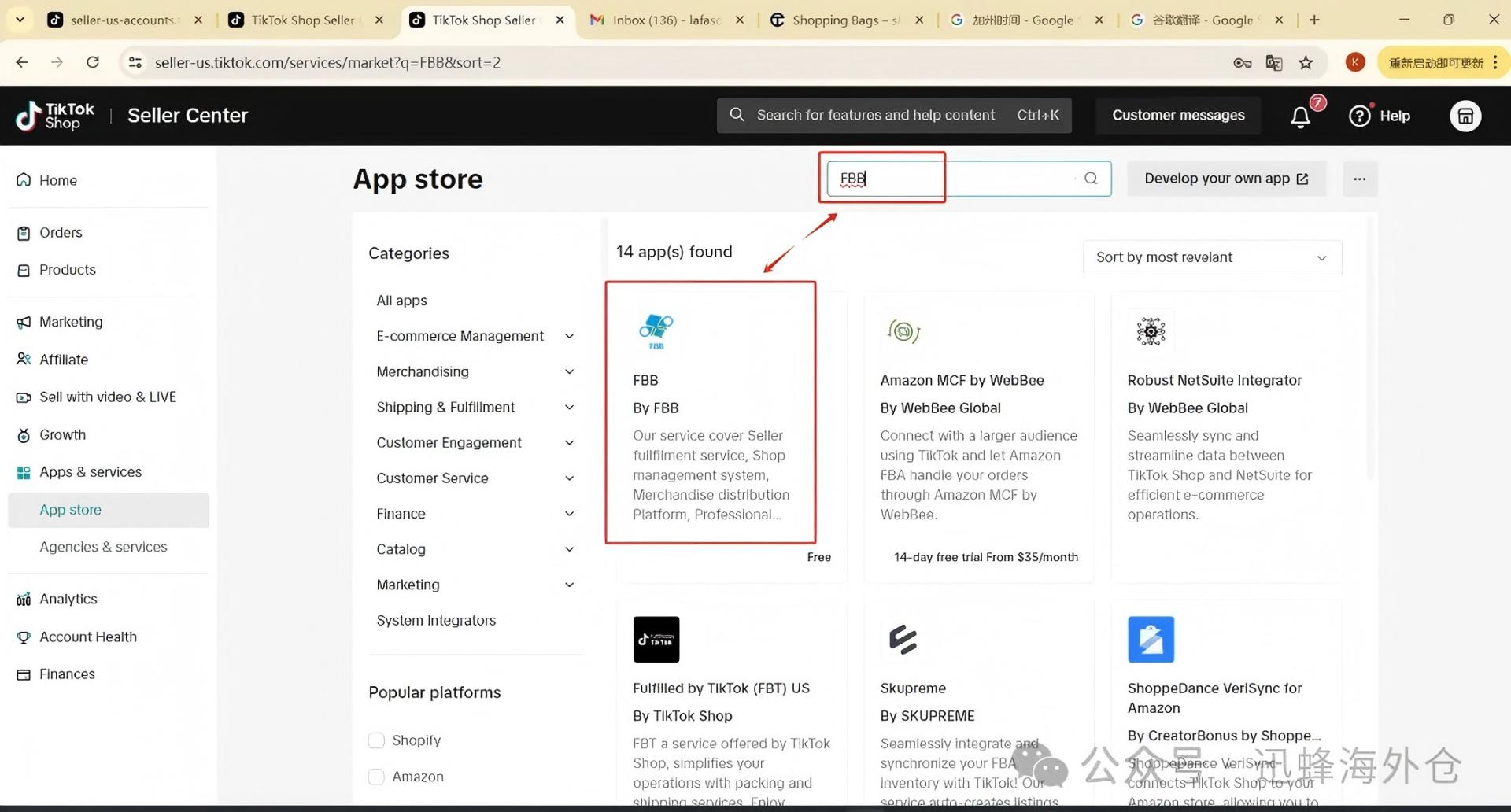
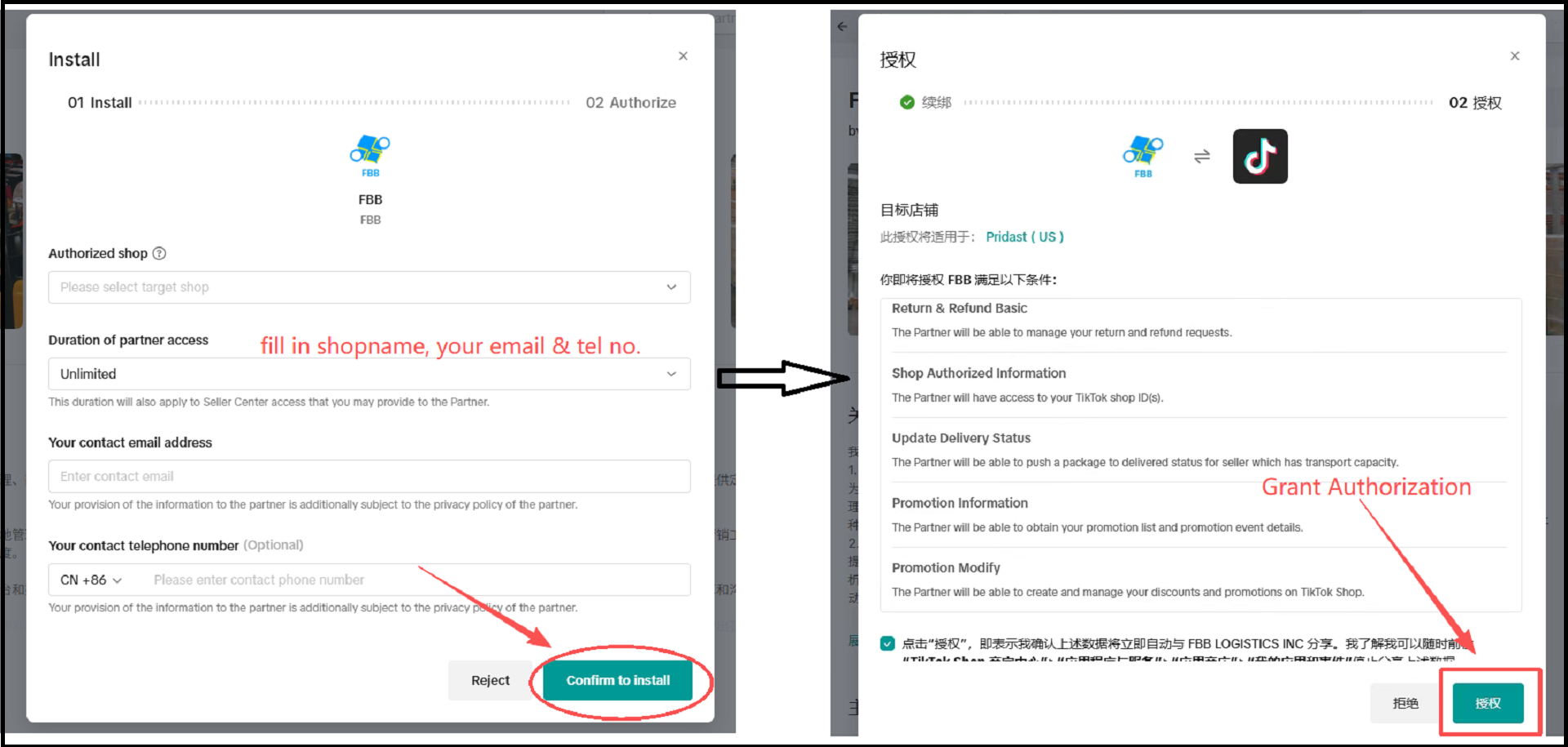
1. Open a VPN or other proxy software. In the TikTok shop backend, search for “FBB” in the App Store section, and follow the prompts to complete the authorization.
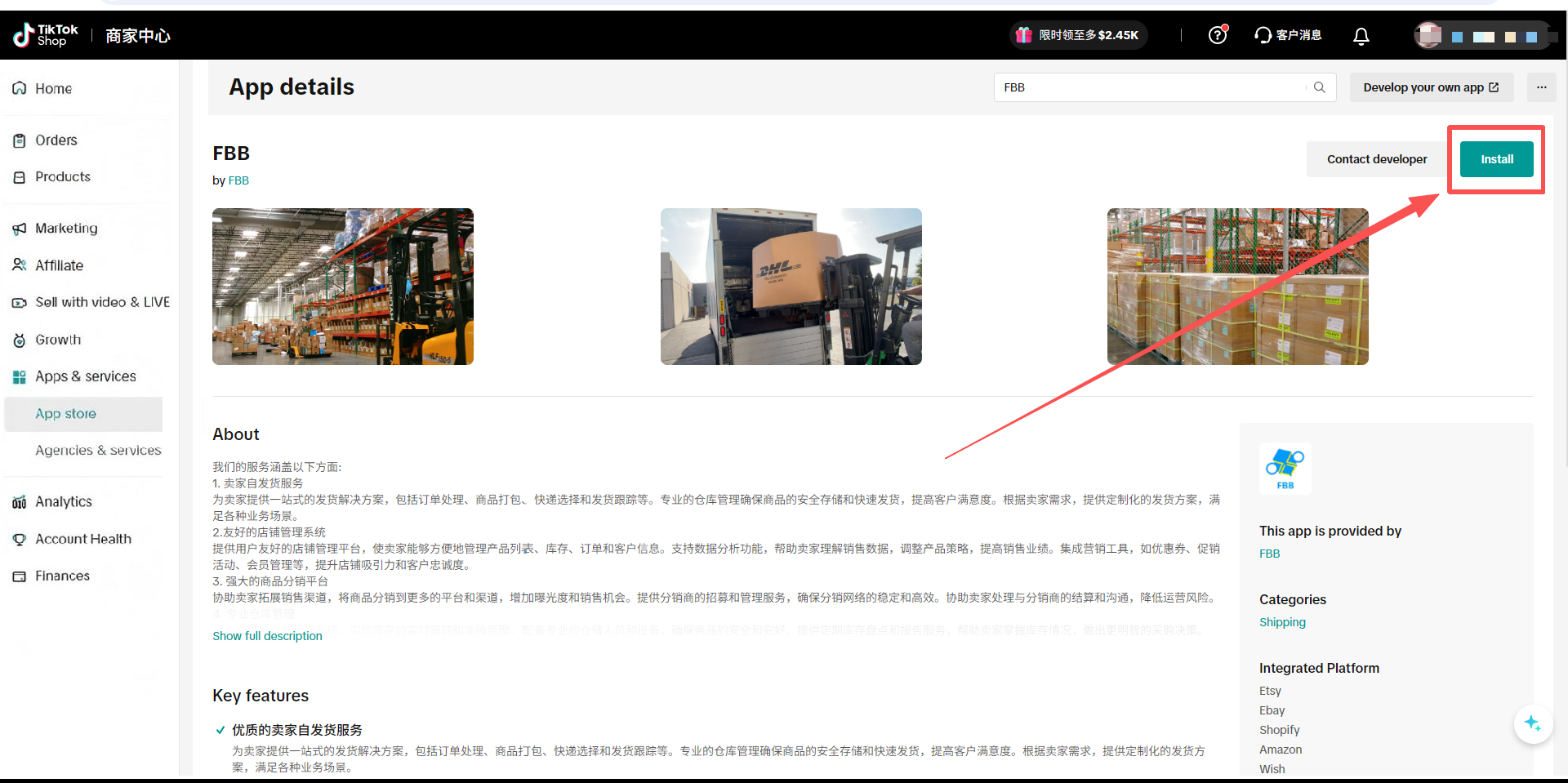
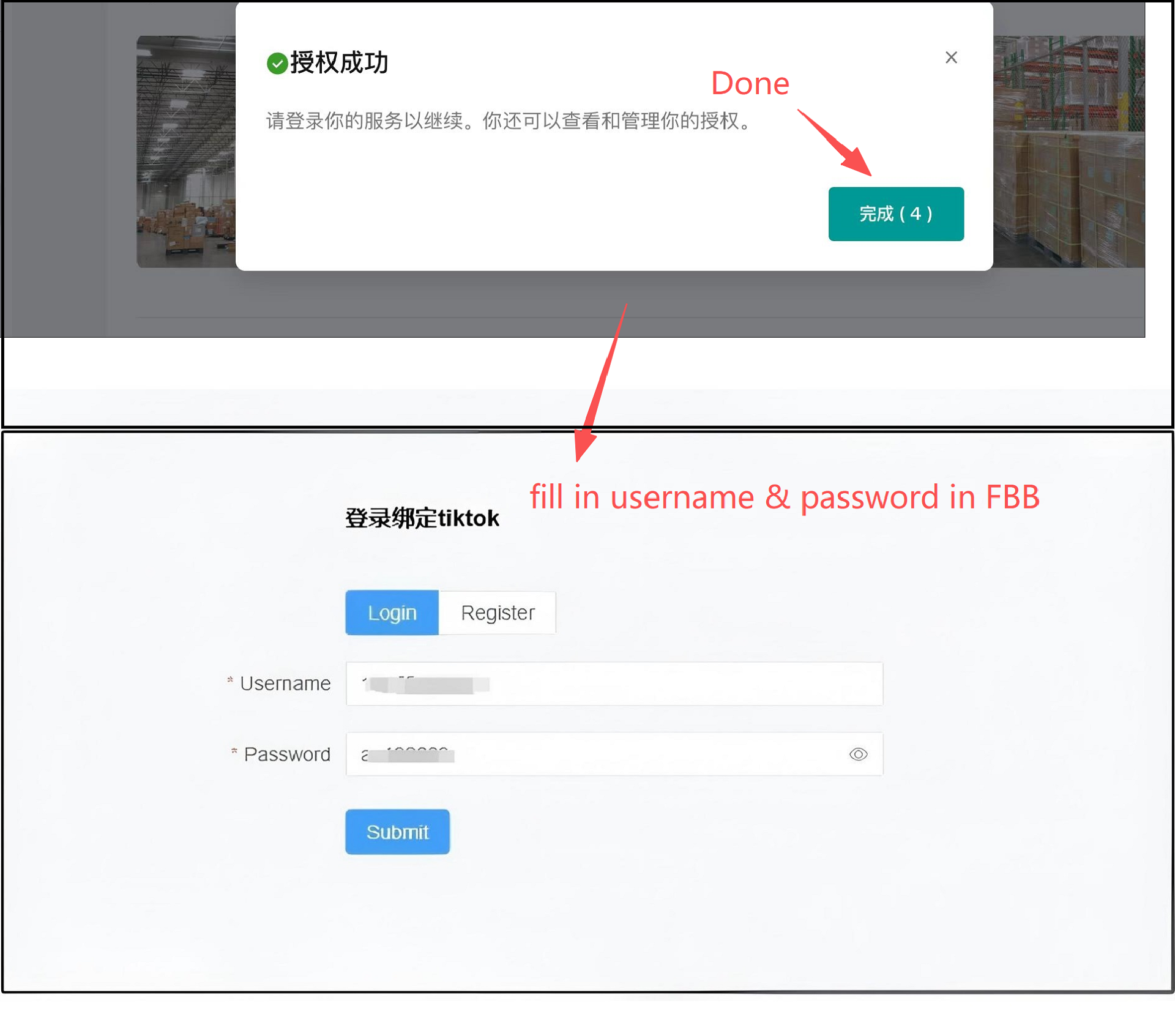
2. After successful authorization, remember to click “Done” – you will be redirected to the login page of our overseas warehouse system.
3. Enter the username and password you registered with our overseas warehouse system, and the authorization will be completed.
4. [Platform Shop] – [Shop List] in FBB warehouse system to check the status
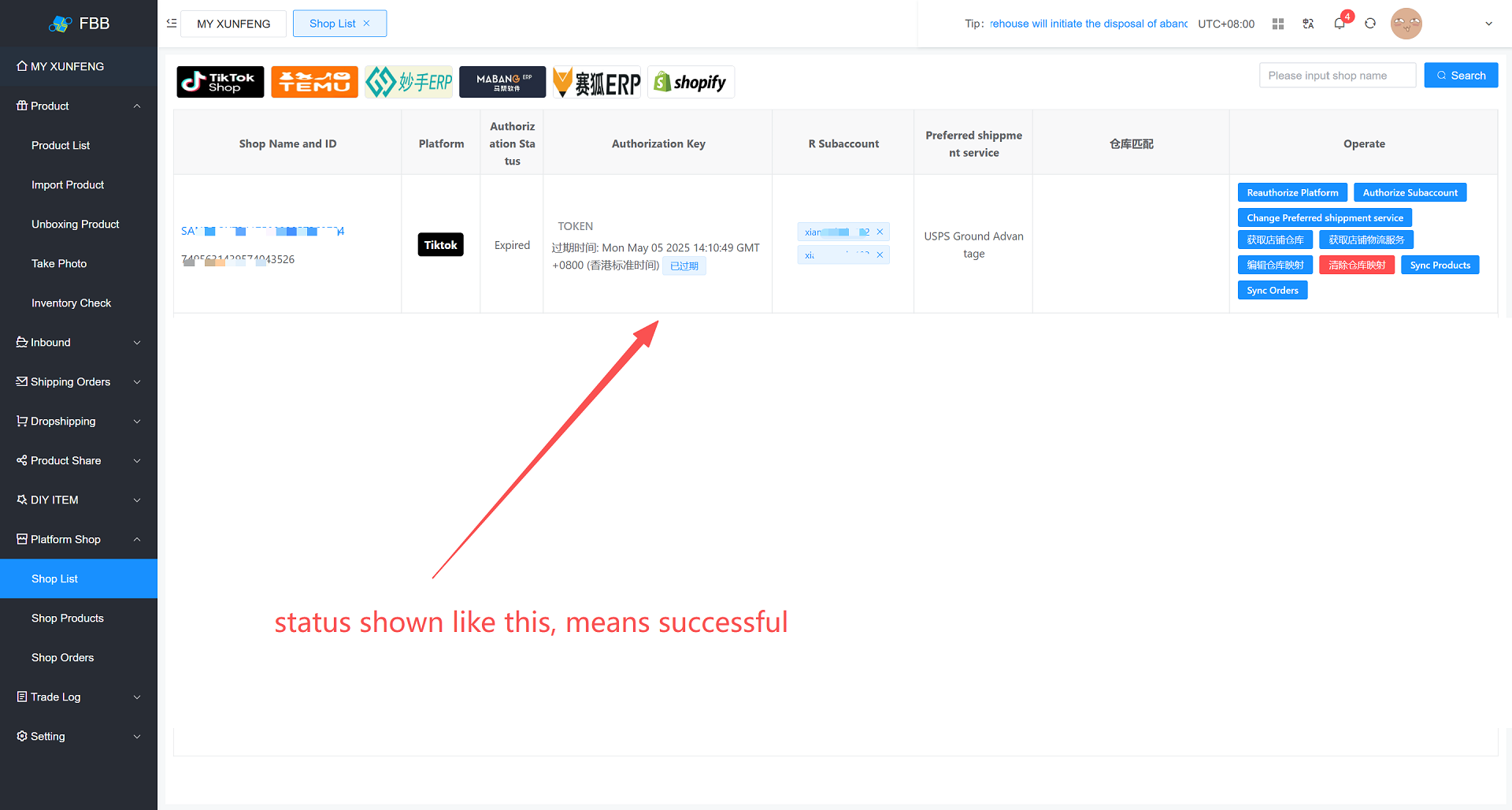
Note: If nothing appears, please wait and refresh to check again.

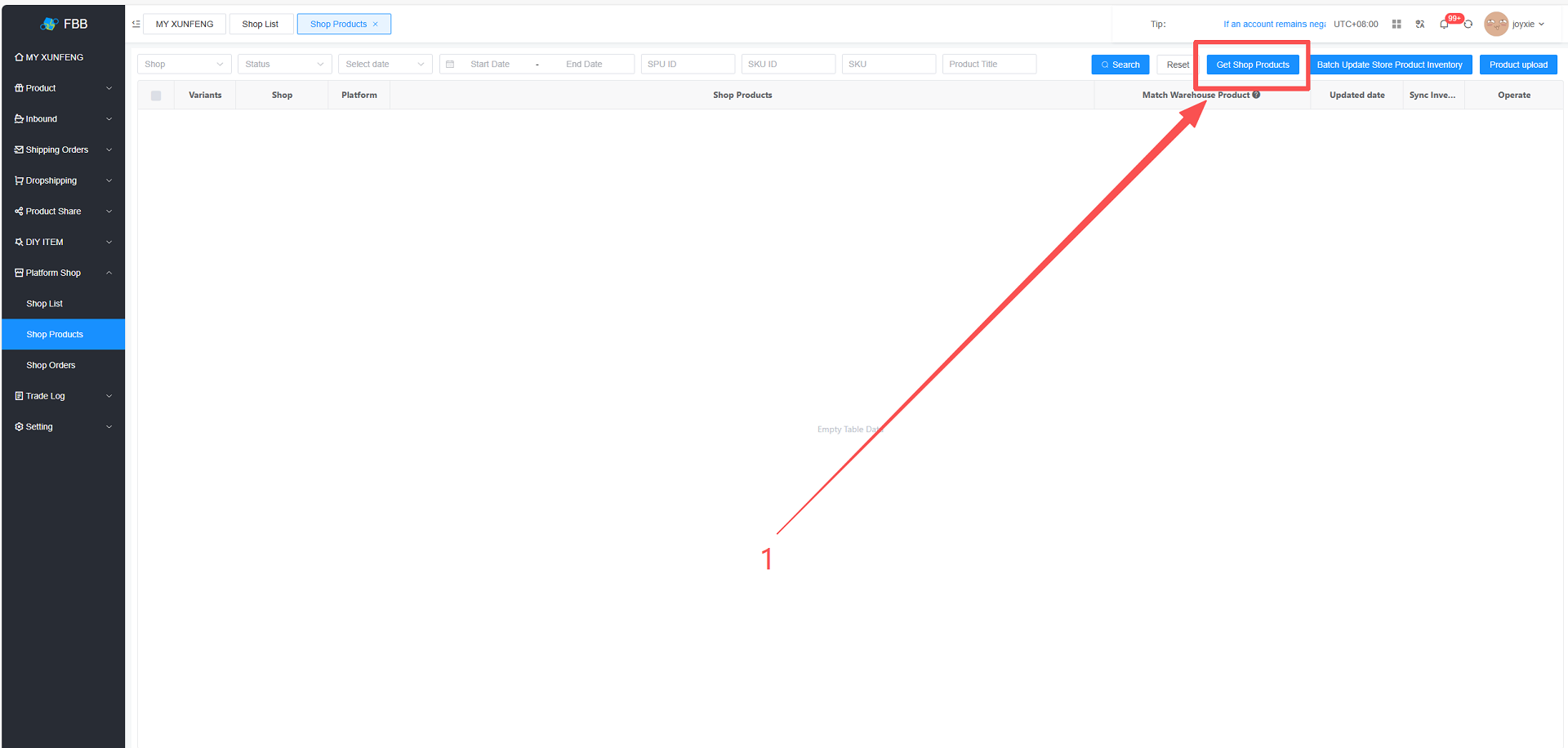
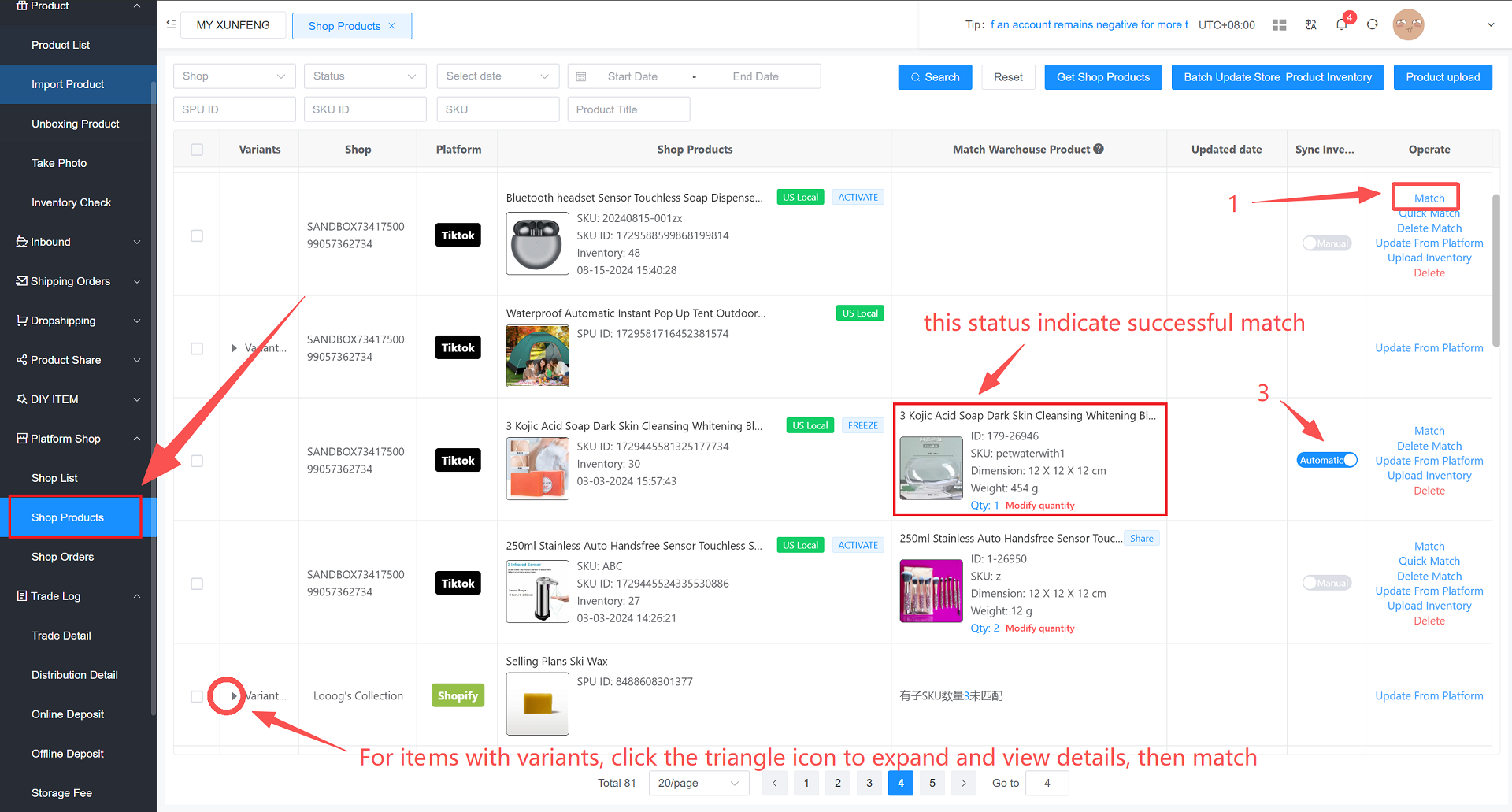
1. FBB Warehouse System → Platform Shop → Shop Products → Click “Get Store Products”
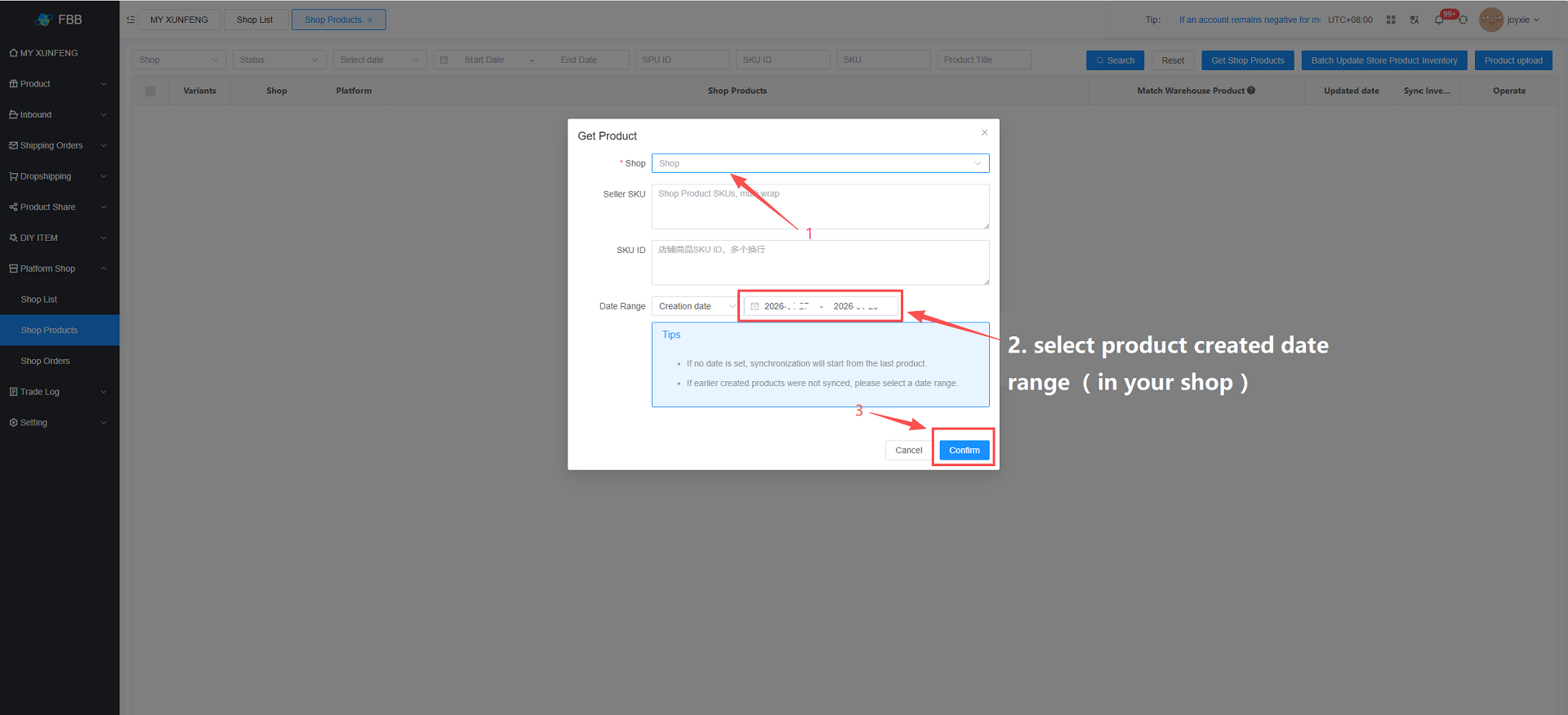
3. Match Products

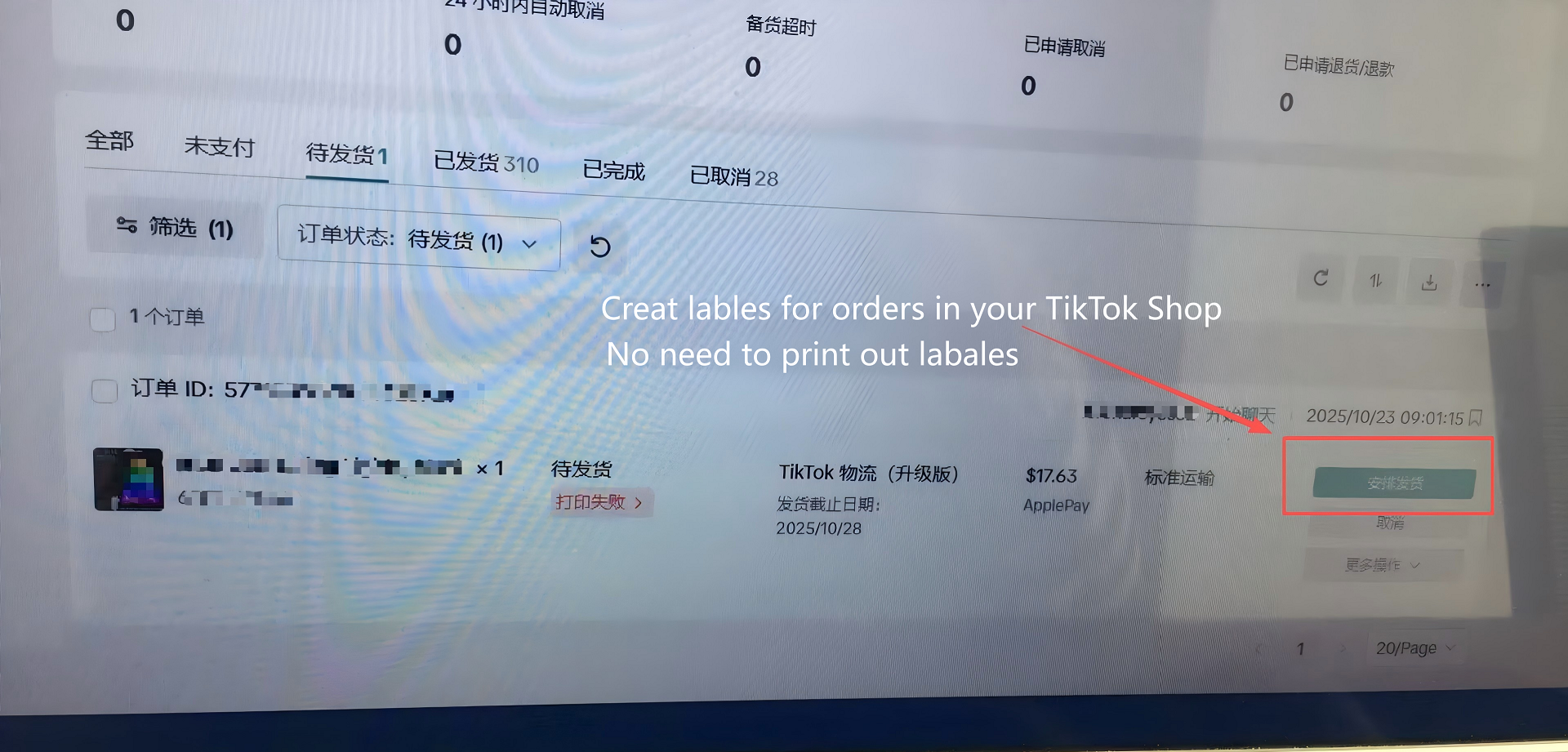
1. Agrrange shipment in TikTok Shop
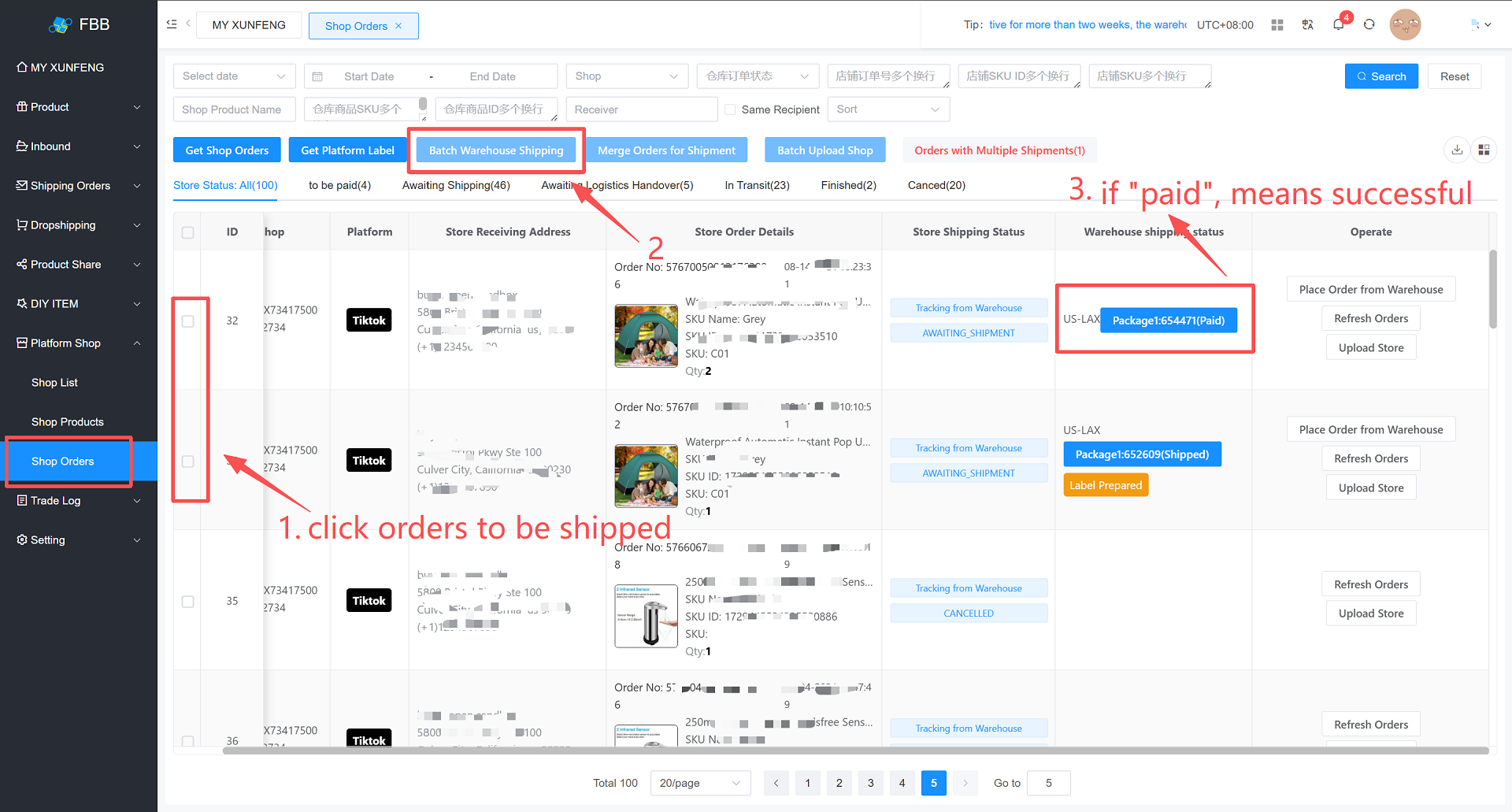
2. Click “Get Platform Shipping Label” in FBB warehouse system & “Batch Warehouse Shipment” to complete the process.
作者:小谢 创建时间:2026-04-02 10:10
最后编辑:小谢 更新时间:2026-04-13 15:45
最后编辑:小谢 更新时间:2026-04-13 15:45